Showing posts with label design. Show all posts

Tuesday, January 15, 2019

UX as part of your Enterprise Architecture

Digitalization within enterprises is still growing rapidly, enterprises are more and more adopting digitalization in every aspect of the daily processes and are moving to more intelligent and integrated systems. Even though a lot of work is being done in the backend systems and a lot of systems are developed and modernized to work in the new digital era a large part of the work has to do with UX User experience.

A large number of enterprises are still lacking in building a good and unified user experience for internal users. It has been thought for long that user experience was more applicable for the external systems such as websites, webshops and mobile applications. It is however evenly important to have a good and clear view on the internal user experience.

Internal user experience
Internal users, your employees, will use the systems developed on a daily basis. Ensuring the systems are simple to use, do what they promise and provide an intuitive experience will add to the productivity. Additionally, ensuring that systems are easy to work with and provide a good experience will ensure that your employees are more motivated and adoption of new systems will be higher

UX as an enterprise architecture component
In the past, it was common that every system within an enterprise would have a different experience. Menu structures, screen structures and the way a system behaved was different per application. As an employee normally interacts with multiple systems this can become overwhelming and complex. Additionally, it is relatively common that all internal enterprise user experiences are, to put it mildly, not that good. Most common, every system has a suboptimal interface and an interface design which is different from the rest.

An advised solution is to include standards for UX and interface design into the Enterprise Architecture repository and ensure, depending on your enterprise size, you have dedicated people to support developers and teams to include your enterprise UX blueprints within the internal applications.

When UX and interface design is a part of the enterprise architecture standards and you ensure all applications adhere to the standards the application landscape will start to become uniform. The additional advantage is that you can have a dedicated group of people who build UX components such as stylesheets, icons, fonts, javascripts and other components to be easily adopted and included by application development teams. At the same go, if you have dependency management done correctly, a change to a central UX component will automatically be adopted by all applications.

Having a Unified Enterprise UX is, from a user experience and adoption point of view one of the most important parts to ensure your digital strategy will succeed. 

Add UX consultants to your team
Not every developer is a UX consultant and not every UX consultant is a developer. Ensuring that your enterprise has a good UX team or a least a good UX consultant to support development teams can be of a large advantage. As per Paul Boag the eight biggest advantages of a UX consultant for your company are the following:
  1. UX Consultants Help Better Understand Customers
  2. UX Consultants Audit Websites
  3. UX Consultants Prototype and Test Better Experiences
  4. UX Consultants Will Establish Your Strategy
  5. UX Consultants Help Implement Change
  6. UX Consultants Educate and Inspire Colleagues
  7. UX Consultants Create Design Systems
  8. UX Consultants Will Help Incrementally Improve the Experience

Adopt a UX template
Building a UX strategy from scratch is complex and costly. A common seen approach for enterprises is that they adopt a template and strategy and use this as the foundation for their enterprise specific UX strategy.

As an example of enterprise UI and UX design, Oracle provides Alta UI which is a true enterprise grade user experience which you can adopt as part of your own enterprise UI and UX strategy. An example is shown below:

The benefit of adopting a UX strategy is that, when selected a mature implementation, a lot of the work is already done for you and as an enterprise you can benefit from a well thought through design. Style guides and other components are ready to be adopted and will not require a lot of customizations to be used within your enterprise so you can ensure all your applications have the same design and the same user experience. 


The above shown presentation from Andrejus Baranovskis showcases Oracle Alta UI Patterns for Enterprise Applications and Responsive UI Support

Monday, January 27, 2014

Mockup tools for agile development

For all good reasons a more agile way of development is often selected when creating a new solution. Please do note, I am not a believer of agile being the silver bullet to all development work, I do feel that the more traditional way of development is in some cases much better then an agile way of doing things. However, agile development is in some cases great and one of the things that is also great within the agile development way of doing things is the fact you will be working very close to the customer / end-user. I have learned that while doing agile development with a end-user sitting next to you it can be very beneficial to be able to draw up quickly something. The art of creating a very quick prototype in the form of a mockup / wireframe drawing can make things really quickly clear to all parties involved.

Now, the things is, what  to select as a tool for doing things like this? When you start searching the internet for tools like this there is a large variety of things you can select from. Some of them I have tested and used in projects both for Capgemini as well as private and opensource projects. Below are some that you might want to give a look.

Keynotopia

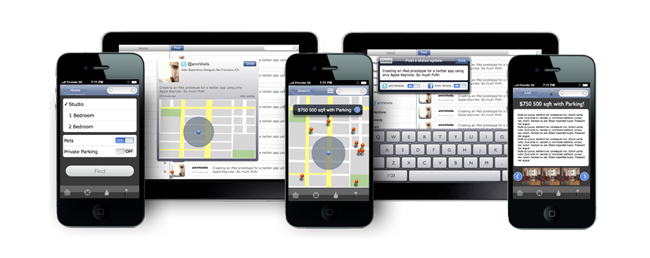
Keynotopia is essentially an extension on your favorite applications you already have on your workstation and build a design with it quickly. You can add Keynotopia to Microsoft Powerpoint, Apple Keynote or OpenOffice. The great thing about Keynotopia is that you can safe the design you made as a clickable PDF and due to the fact all images are vector images it will scale to your devive and give the person who is testing your design the idea that it is really an application. Best of all, it is free and you can download it from the Keynotopia website. 

balsamiq


Balsamiq is actually the first tool of this kind I used ever. Primary reason for me to use balsamiq was that it was, at that moment, the only tool that was available for Linux and which did the job I wanted. One of the cool things about balsamiq is that it uses an "art style" that clearly shows that it is a prototype / mockup. You do not have to explain to anyone that this is just a quick thought drawing you are working on and that the product itself is not available yet.

moqups.com

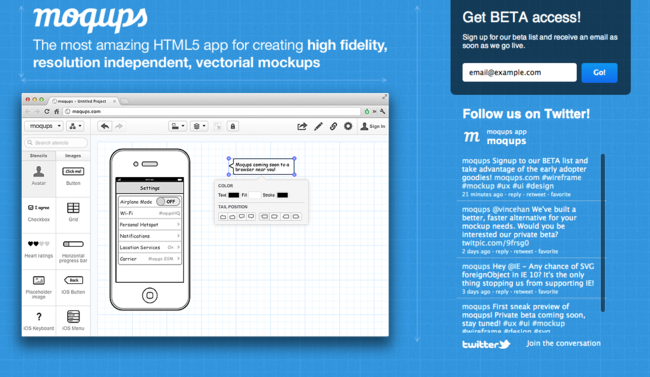
moqups.com is an online alternative for those who are always on the move. When you are shifting a lot between workstations and you do need a solution to do your wireframe and mockup work this can be a very good alternative. This is however a payed service while you have some great free alternatives that you need to install on your workstation. Sharing between workstations is always an option with for example dropbox or Google Drive.

Pencil project

Pencil project is a great, and above all, open-source project which has the big benefit that it is availabel for ALL platforms. This is especially great when you are working in a team where some are using Linux, some Mac OS and some still do tend to stay with Microsoft. As Pencil can be downloaded at no costs you can have a quick adoption witthin a team and start working all on the same wireframe / mockup designs.

Microsoft Sketchflow

Microsoft Sketchflow is most likly one the most expensive alternatives in this list, it is part of Blend 3 and is inlcuded within Microsoft Expression Studio 3. Sketchflow is very usable when developing primarily Microsoft based solutions as it ties directly into the Microsoft development tools and is, apperently, very easy to go from first design to a first raw GUI in your development tooling. This is a very big advantages however, as stated, it is primarily focused on Microsoft driven solutions and not leaving to much room for others.

Eclipse based tools

without any doubt Eclipse is one of the most favorite development environments. Originally intended for Java developers it is now growing to all kinds of programming languages. The big benefit of Eclipse is that it is open-source and that there is a very large community of individuals and enterprises who add functionality to Eclipse. Functoinality is added in the form of plugins so you can expand you development environment and options in eclipse as you go. Included are a number of wireframe and mockup tools. The one that stands out the most is WireframeSketcher which can be downloaded from the wireframesketcher.com website.

The above outline is not to select the best tool, there is not such a thing as THE best tool as this is depending on a number of factors, for example the type of applications your are developing, the adoption within your team, the tools you are already using and so on. However, the above list is to outline and state that there are numerous tools available that can make your life easy and can help you while doing rapid prototyping and agile development work. Best thing of all, the number of free and open-source tools is also very wide and available to you.